> ## Documentation Index
> Fetch the complete documentation index at: https://docs.devin.ai/llms.txt
> Use this file to discover all available pages before exploring further.
# Enterprise
> How Devin Enterprise contracts are billed, how admins track ACU consumption, and how to set organization and per-user ACU limits.
Devin Enterprise customers are billed in **Agent Compute Units (ACUs)** at the rate set in their order form. [Contact sales](https://cognition.com/contact) for pricing.
For how Devin meters work in general (sleep behavior, what counts toward consumption, tips for keeping costs down), see [Usage](/admin/billing/usage).
## Tracking ACU consumption
Enterprise customers can track ACU consumption at both the Enterprise and Organization level:
* **Enterprise admins** view Enterprise ACU consumption at [Settings > Consumption](https://app.devin.ai/settings/consumption) in Enterprise Settings.
* **Organization admins** view Organization ACU consumption at [Settings > Consumption Analytics](https://app.devin.ai/settings/analytics?tab=consumption) within Organization Settings.
* **Any user** can see the ACU cost of a specific session from [Session Insights](/product-guides/session-insights).
## Setting Organization ACU limits
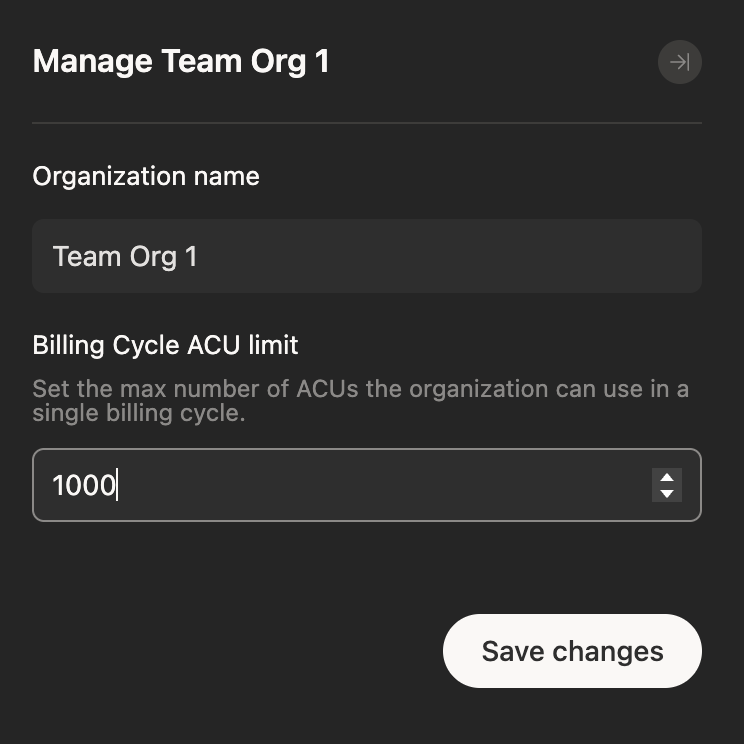
Enterprise admins can set per-Organization ACU limits from [Settings > Organizations](https://app.devin.ai/settings/organizations) in Enterprise Settings.
Organization limits apply to cloud Devin sessions, Devin Review, Devin Desktop, Windsurf JetBrains, and Devin CLI usage billed to the organization. See [Organization-level ACU limits](/admin/billing/org-acu-limits) for API examples and billing attribution.
To open an organization's settings, click its row in the table, or click the pencil icon (**Update name and limits**) at the end of the row.
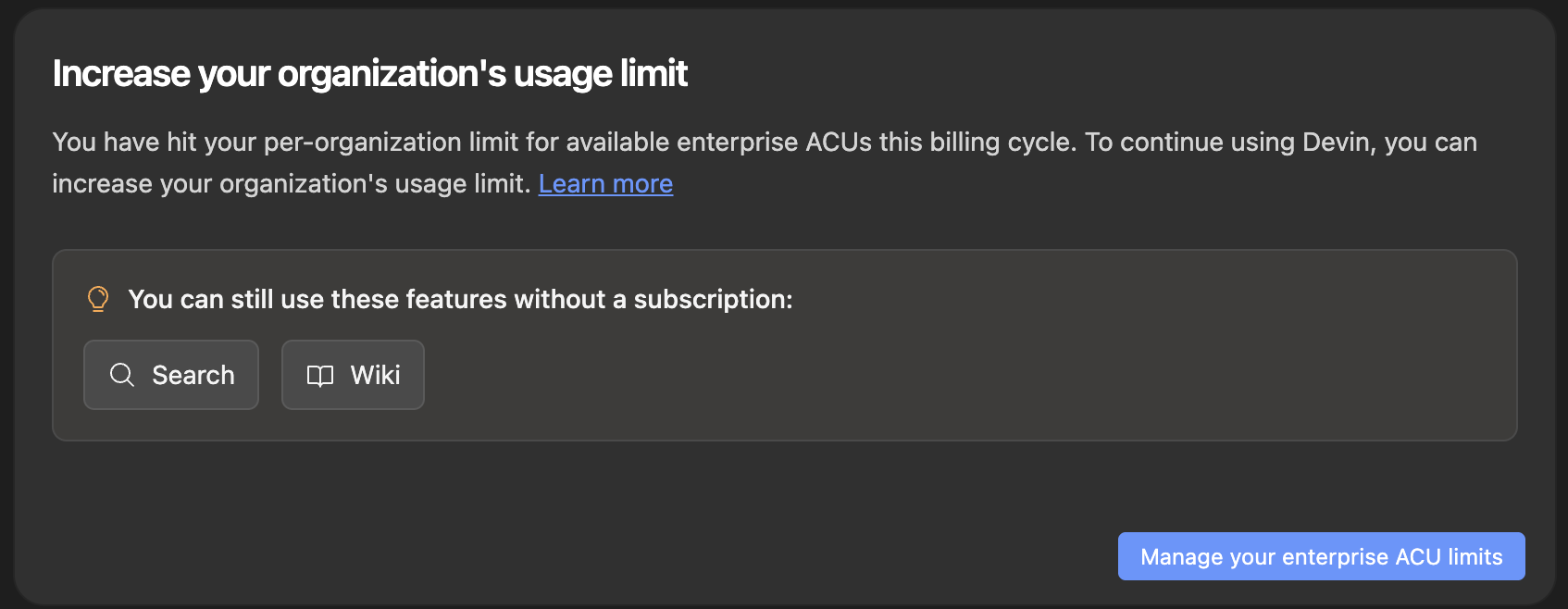
 When an organization reaches its limit, new work billed to it is blocked. An enterprise admin can raise or remove the limit, or users can wait until usage resets in the next monthly billing window. Per-user limits remain in effect independently.
 ## Setting per-user ACU limits
Beyond per-Organization limits, Enterprise admins can cap each member's monthly ACU consumption with usage tiers, IdP group mappings, and per-member overrides. See [Usage policies](/enterprise/features/usage-policies).
## Frequently asked questions
Enterprise customers are billed for ACUs as stated in their order form.
Enterprise ACUs represent the work performed by Devin for customers on the Enterprise plan, which adheres more strictly to task planning and end-to-end testing. They are distinct from self-serve quota and on-demand credits, and are priced per the customer's Enterprise order form.
Enterprise admins can break consumption down by Organization from the [Consumption](https://app.devin.ai/settings/consumption) page in Enterprise Settings. Org admins can break it down by user from [Consumption Analytics](https://app.devin.ai/settings/analytics?tab=consumption) inside Organization Settings.
This documentation is built and hosted on [Mintlify](https://mintlify.com), a developer documentation platform.
## Setting per-user ACU limits
Beyond per-Organization limits, Enterprise admins can cap each member's monthly ACU consumption with usage tiers, IdP group mappings, and per-member overrides. See [Usage policies](/enterprise/features/usage-policies).
## Frequently asked questions
Enterprise customers are billed for ACUs as stated in their order form.
Enterprise ACUs represent the work performed by Devin for customers on the Enterprise plan, which adheres more strictly to task planning and end-to-end testing. They are distinct from self-serve quota and on-demand credits, and are priced per the customer's Enterprise order form.
Enterprise admins can break consumption down by Organization from the [Consumption](https://app.devin.ai/settings/consumption) page in Enterprise Settings. Org admins can break it down by user from [Consumption Analytics](https://app.devin.ai/settings/analytics?tab=consumption) inside Organization Settings.
This documentation is built and hosted on [Mintlify](https://mintlify.com), a developer documentation platform.